Build a Blog From Your Terminal with Claude Code
I use Claude Code. It’s a terminal-based AI coding tool, and this blog started there - describing what I wanted built.
Terminal-first isn’t new for me. Back in 2016, writing mortgages on a DOS system, I’d run three conversations at once - one family on the phone, two more in chat - structuring loans, printing docs, running pricing. No hand leaving the keyboard.
So Claude Code felt natural. But on anything complex, I kept hitting the same wall: context management. Agents lose focus when context gets too large. They forget earlier decisions.
I needed a system - a way to structure context for agents, manage memory through the filesystem, orchestrate parallel work. So I built one, and this blog was the first test.
I’m not an engineer. I don’t write syntax. But I’m good at decomposing problems, and I’ve been practicing AI orchestration since 2022. I spend more time than I should thinking about agent memory and knowledge graphs. “What gets documented gets done” - my older brother taught me that. I wanted a blog to capture the learning.
What’s in it for you: See how I used Claude Code to orchestrate feature branches in parallel, and tackle starting a blog I otherwise wouldn’t have made time for. The repo is shared below - fork it if you want a head start without bootstrapping from Claude Code yourself.
The Setup
Before Claude Code touched anything, I did some manual prep:
- Started with a
quickplan.mddoc in the repo - rough goals, nothing fancy - Had an old never-deployed domain handy (learngen.io)
- Set up Vercel deployment connected to the repo - no Claude Code help here
After that, push to remote = blog published. That’s the workflow.
The Architecture
My approach: decompose first, delegate second.
I asked Claude Code to research what features make a good blog. It came back with search, RSS, tags, reading time, table of contents, related posts. It asked my thoughts on stack - I picked from the list:
- Astro 5 + MDX for content
- Tailwind v4 for styling
- Vercel for hosting
- Cloudflare for DNS
- Dark mode because light mode hurts
Then I told Claude Code to use a parallel dev worktrees skill I wrote - a skill that creates git worktrees for each feature, spawns subagent sessions in each one, and lets them work in parallel. That’s the whole point: I designed the orchestration, Claude executed it.
(The parallel dev skill isn’t in this repo - after this project, I created a personal Claude Code PM workflow repo with even more additions on how I corral non-deterministic models with deterministic tools. But that’s for another blog post.)
Worktrees + Parallel Agents
Git worktrees let you check out multiple branches simultaneously in separate directories:
learngenblog/              # main
learngenblog-worktrees/
  ├── pagefind-search/     # feature branch
  ├── rss-feed/            # feature branch
  └── table-of-contents/   # feature branch
Each directory is independent. Run dev servers, make commits - they don’t interfere.
Claude Code spawns background agents. Each agent works in its own worktree, on its own feature:
Agent 1 → reading-time worktree → implements reading time
Agent 2 → rss-feed worktree → implements RSS
Agent 3 → table-of-contents worktree → implements TOC
When they finish, I review the commits, test locally, merge.
To those wondering: did I read any of this code? No. It’s a blog, and it renders fast. You’re looking at it.
Worktrees combat where LLMs are weakest: context management. Each agent gets focused scope. No context bloat.
Tracking Work Against Issues
I had the agents open GitHub issues for each feature, track their work against those issues, and close them after I approved the QA.
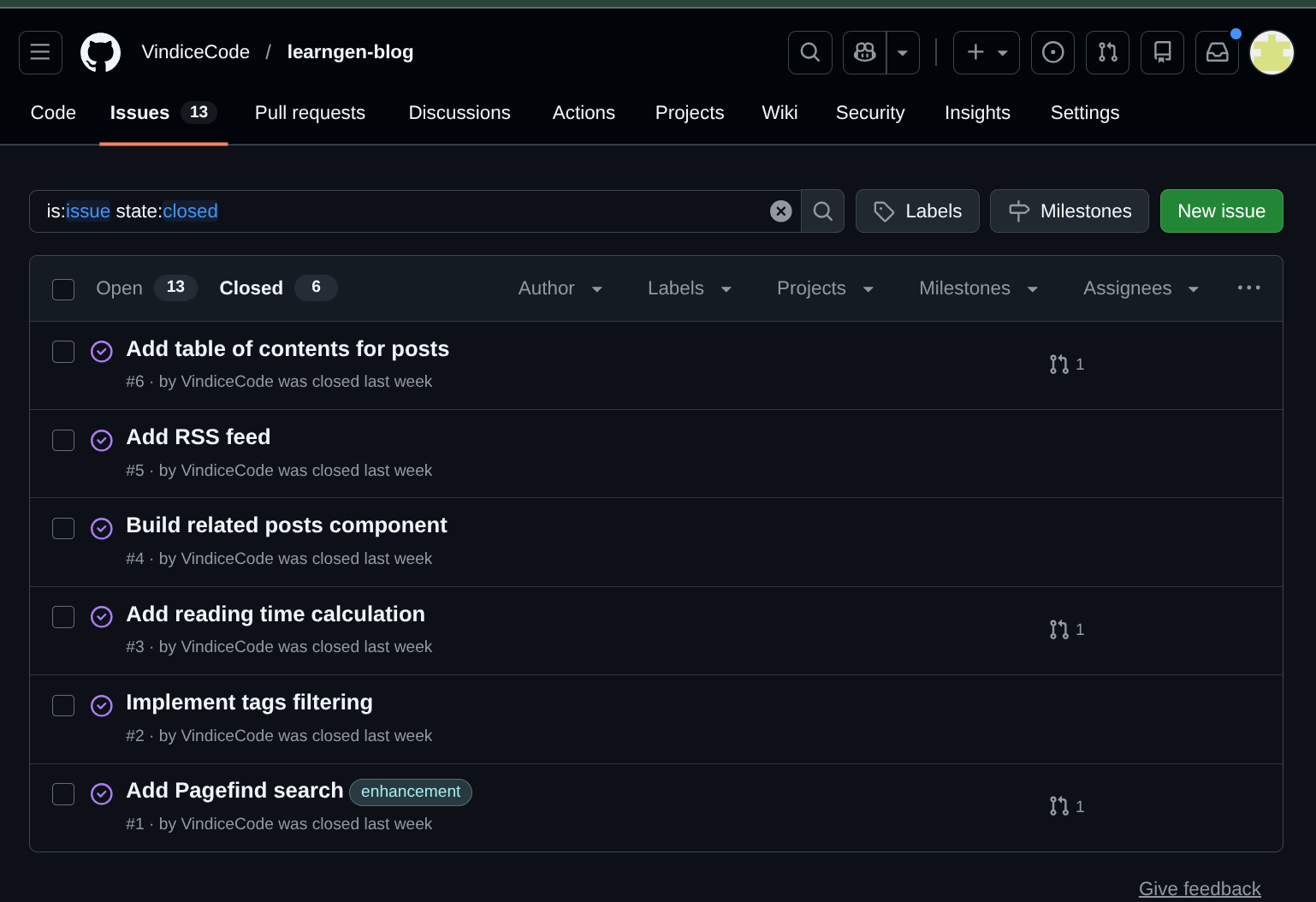
Repo is open source - follow the work as it happens.
The Content
Once the app was stood up, I had a blog interviewer agent help me capture the basics. I gave it some assets to read - PDFs, Word docs, markdown files, years of unstructured notes. It created an interview I answered.
Most of what it wrote? Marked as drafts. I only published the basic info for the About page to start. I want to be deliberate about the words on this blog - the majority written by me, not AI. Review, iterate, but also: take the roast out of the oven. Put something out there for feedback. That’s why the current About is nothing too crazy.
LearnGen Yourself
Clone the repo. Use the blog interviewer agent to write an About Me and first post. Ask Claude to connect it to Vercel, attach Cloudflare DNS. You’ll be as far as I am.